What is an intake form? A Quick Guide to Better Data Collection
Learn practical form optimization strategies in this AgentsForForms guide: What is an intake form? A Quick Guide to Better Data Collection.
Think of an intake form as your business's ultimate first impression. It's that initial, structured conversation that happens before any real work gets started—the one that gathers all the crucial details from a new client, a patient, or a sales lead. In its simplest form, it's a tool for systematically collecting standardized information to get a process rolling.
The Purpose of an Intake Form

At its heart, an intake form acts as a bridge. It connects what a person needs with your organization's ability to deliver, translating their request into clear, actionable data your team can actually use.
Without that structured first step, things can get messy. Teams often find themselves drowning in a sea of missing information, stuck in a loop of follow-up calls, and creating frustrating first interactions. A well-designed form acts as a smart gatekeeper, making sure every new relationship, project, or case starts off with the clarity everyone needs.
From Paper Piles to Digital Workflows
Not too long ago, "intake" meant clipboards and hours of manual data entry. That old-school paper-based method is not only slow but also a magnet for errors and wasted time. The move to digital has completely changed the game, turning static documents into dynamic tools that are now fundamental to how modern businesses operate.
Today’s digital intake forms are much more than just information collectors; they actively improve the way we work. Take healthcare, for instance. A digital patient intake form is a massive leap forward. With appointment no-show rates worldwide sitting around 23%, these forms boost patient engagement and lock in accurate information right from the start. Digital platforms have found that over 98% of patients provide valid contact details through these forms. It's what people expect, too—a whopping 93% of patients now anticipate these modern tools, driving engagement rates as high as 80%. You can learn more about how digital forms transform patient workflows on mend.com.
An intake form is more than a questionnaire; it's a powerful tool that improves your workflow, client interactions, and ensures you collect the right information from the very beginning.
To help visualize this, let's break down how these forms serve different parts of a business.
Key Functions of an Intake Form at a Glance
| Function | Purpose | Example Use Case |
|---|---|---|
| Data Collection | To gather essential, standardized information systematically. | A medical clinic uses a patient intake form to collect health history and insurance details before an appointment. |
| Process Initiation | To kick off a new project, service, or workflow with all necessary details. | A creative agency uses a project intake form to understand a new client's goals, budget, and timeline. |
| Qualification | To assess if a lead, client, or request meets specific criteria. | A B2B software company uses a demo request form to qualify leads based on company size and needs. |
| Client Onboarding | To smoothly integrate a new client or customer into your systems. | A law firm uses a new client intake form to gather case details and establish a formal attorney-client relationship. |
This table shows just how versatile these forms are. They aren't just for one department; they are the starting point for countless critical business activities.
Ultimately, a truly effective intake form delivers on a few key promises:
- Standardizes Data Collection: You get the same critical information from every single person, every single time. No more guesswork.
- Improves Efficiency: It automates the initial fact-finding mission, freeing up your team to focus on the work that really matters.
- Enhances the Customer Experience: It creates a smooth, professional first impression and means clients don't have to repeat themselves.
- Qualifies Leads and Clients: It helps you quickly figure out if a new prospect or project is a good fit for your business.
What Are the Different Types of Intake Forms?
Think of intake forms as specialized tools, not a one-size-fits-all solution. Each one is custom-built for a specific job, acting as a gateway to kick off a particular workflow. Their design, the questions they ask, and how complex they are all hinge on the end goal.
For instance, a marketing team's lead capture form needs to be quick and to the point. It grabs just the essentials—like a name, email, and company—to qualify someone without scaring them away. On the flip side, a patient intake form for a doctor's office is deliberately thorough. It needs a full health history and insurance details to provide safe, effective care and handle billing correctly.
Common Intake Forms You'll See Everywhere
While you can create a form for just about anything, most fall into a few common categories. Getting to know these core types helps illustrate how businesses use them to keep things running smoothly.
You'll most often run into forms for:
- Client Onboarding: These are the bread and butter for service businesses like marketing agencies or law firms. They collect everything needed to get started: project goals, budget info, key contacts, and background details. A good onboarding form sets the stage for a successful partnership right from the beginning.
- Patient Registration: A staple in healthcare, these forms gather patient demographics, medical history, insurance information, and consent. Accuracy is non-negotiable, as it’s vital for patient safety and compliance with regulations like HIPAA.
- Lead Generation: These are the short, snappy forms you find on websites offering a free demo, an ebook, or a newsletter subscription. Their one and only job is to turn a casual visitor into a real lead for the sales team by capturing basic contact info.
- Event Registration: From webinars to massive conferences, these forms manage attendees. They collect contact and payment details, but also logistical information like dietary needs or session choices to make sure the event goes off without a hitch.
It's All About Focus and Function
The real difference between these forms comes down to what kind of data they're after. A new client form for a software company is going to dig into the technical weeds—asking about existing systems, user numbers, and the specific problems the client needs to solve.
An event registration form couldn't care less about that. It's focused on logistics: what name goes on the badge, are there any accessibility requirements, and which breakout sessions will be full? The goal here is pure operational efficiency.
An intake form's design is a direct reflection of its purpose. The questions it asks reveal the most critical information needed to move a process forward, whether that's closing a sale, starting a project, or checking in a patient.
This distinction is key. When you design the right type of form, you get the actionable information you need without burying the user in irrelevant questions. It’s a win-win: you respect their time, and your team gets exactly the data required to do their job effectively.
The Anatomy of a High-Converting Intake Form
Think of a great intake form less like a questionnaire and more like a guided conversation. The way it’s built has a huge impact on whether someone breezes through it or gives up in frustration. Crafting a form that actually gets filled out means understanding what makes it tick, from the absolute basics to the smarter, more advanced features.
Every form has its non-negotiables, of course. You'll always need fields for contact details, checkboxes for privacy policies, and the specific questions that are central to your service. These are the foundational pieces required to get the core data you need.
But the best forms don't just stop there. They're designed around the user's experience, using subtle but powerful elements that reduce friction and build trust from the first question to the last click.
This diagram shows how different intake forms fit into a hierarchy, moving from a simple lead capture to a detailed patient registration.
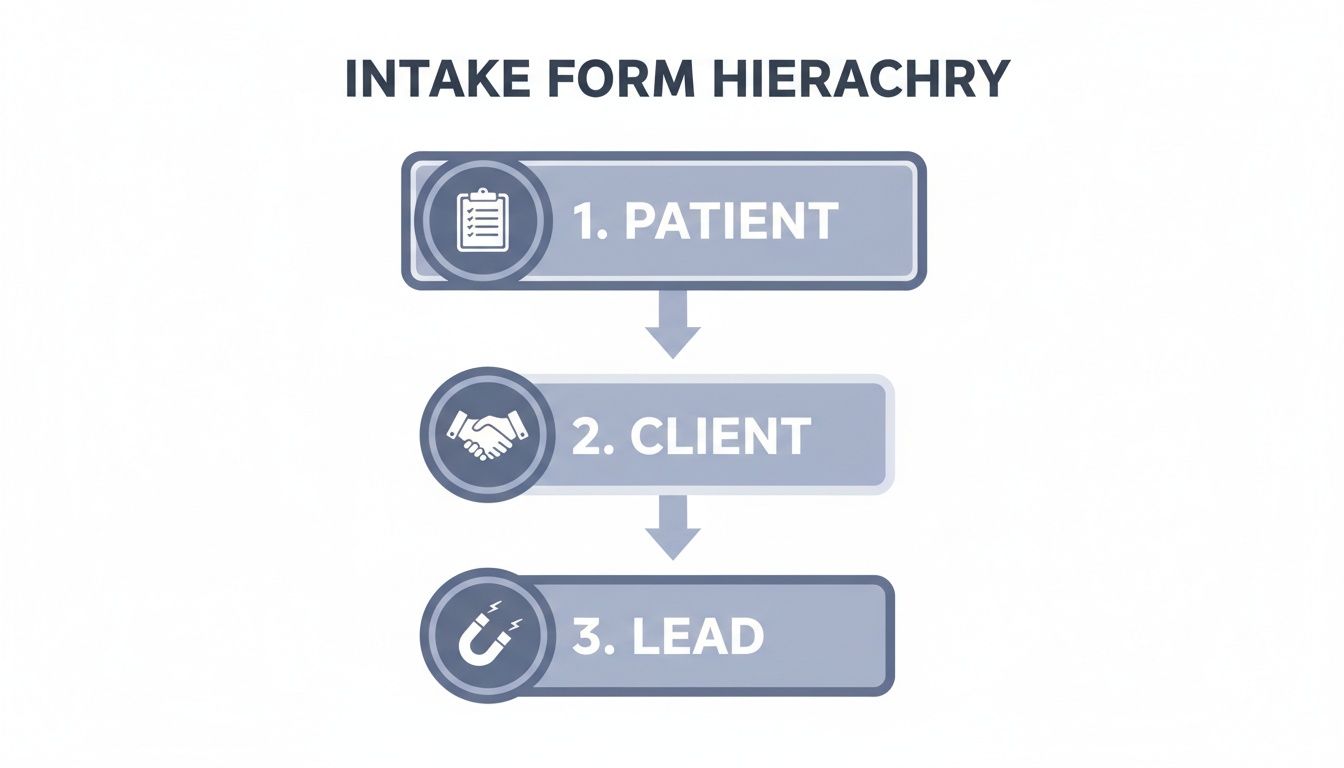
As you can see, the required level of detail skyrockets as you move from capturing a marketing lead to onboarding a new patient, where data accuracy is absolutely critical.
Core Structural Elements
To build a form that people actually finish, you need more than just a list of input boxes. These key structural elements create a flow that feels intuitive and encourages completion.
- Progress Bars: If your form has more than a handful of questions, a progress bar is a must. It gives users a visual cue of how much is left, which manages their expectations and makes them far less likely to abandon the process.
- Logical Grouping: Don't just throw questions at people. Grouping related fields under clear headings like "Contact Information" or "Project Details" makes the form feel organized and far less overwhelming. It turns one big task into a few small, easy steps.
- Clear Call-to-Action (CTA): The final submission button needs to stand out. Use clear, action-oriented text—think "Get Your Free Quote" or "Book Your Appointment"—instead of a bland "Submit."
Intelligent and Dynamic Features
Today's best forms feel less like static documents and more like smart assistants. They use dynamic features to create a personalized experience that’s faster and more relevant for each person.
The goal is to make the user feel like the form is adapting to them, not that they are struggling to fit their answers into a rigid template. This simple shift in perspective can dramatically improve completion rates.
Conditional logic is a total game-changer here. This feature shows or hides questions based on a user's previous answers, so they only ever see what's relevant to them. For example, if a user answers "Yes" when asked if they have a business partner, a new section appears asking for those details. If they select "No," that section simply never shows up.
This little trick prevents frustration and keeps the form as short as possible for every single user. To get this right, you'll want to explore the different question types in forms that make these advanced strategies possible.
Best Practices for Intake Form Design
A great intake form is so much more than a list of questions. Think of it as a carefully crafted conversation—one that guides the user smoothly from start to finish. If you’ve ever wrestled with high drop-off rates or messy, unusable data, you already know that a thoughtful approach to design isn't just nice to have; it's essential.
The secret is to focus on clarity, simplicity, and building trust. It starts with a clean, intuitive layout. Group related questions under clear headings, breaking a long, intimidating form into small, digestible chunks. This one change can transform the experience from an interrogation into a friendly, guided dialogue.

Prioritize User Experience and Clarity
Let's be blunt: your form's design has a direct impact on whether people will actually fill it out. A cluttered, confusing form is the number one reason people give up and walk away. To keep them engaged, you need to create a seamless experience.
Here’s how you can make a real difference:
- Embrace white space: Give your form room to breathe. An uncluttered design helps users focus on one question at a time, preventing them from feeling overwhelmed.
- Use a single-column layout: This is the gold standard for mobile-friendliness. It creates a natural, top-to-bottom flow that just makes sense on any screen.
- Break it down: For anything more than a few questions, a multi-step design with a progress bar is a game-changer. Showing users they’re on "Step 2 of 4" is a powerful motivator. For some great ideas, check out these high-converting multi-step form examples.
The ultimate goal is to make the form feel effortless. Every design choice should be made with one question in mind: "Does this make it easier for the user to complete?"
Implement Smart Data Validation
Data validation is your secret weapon against bad data. It’s all about setting simple rules for your fields to make sure the information you receive is clean and correct from the get-go. This simple step prevents the absolute nightmare of manually fixing typos or chasing people down for accurate details later.
For instance, a validation rule can check that an email field actually contains an "@" symbol or that a phone number has the right number of digits. These tiny guardrails prevent huge headaches.
This is also where data privacy and compliance come into play. Your intake forms are ground zero for adhering to regulations like the California Consumer Privacy Act (CCPA). In fields that handle sensitive information, hitting 98% valid data accuracy is non-negotiable. And with 93% of patients expecting their data to be managed digitally, features like clear consent checkboxes and GDPR-friendly templates are critical for building trust.
Optimize for Mobile Devices
It’s 2024. A huge chunk of your audience will be filling out your form on a smartphone. If your form is a pain to use on a small screen, you’re throwing submissions away. A mobile-first design isn’t a bonus feature anymore; it’s a requirement.
That means making sure:
- Text is large enough to read without squinting.
- Buttons and fields are big enough for a thumb to tap easily.
- The form loads quickly, even on a spotty mobile connection.
To help you stay on the right track, here's a quick cheat sheet of what to do—and what to avoid.
Do's and Don'ts of Intake Form Design
| Best Practice (Do) | Common Mistake (Don't) |
|---|---|
| Keep it simple and focused. Only ask for what you absolutely need. | Overload the form with too many questions. This is the fastest way to cause user fatigue. |
| Use a single-column layout. It’s clean, scannable, and perfect for mobile. | Use a multi-column layout. This can confuse the user's eye and disrupt the natural flow. |
| Group related fields logically. Use headings to create clear sections. | Present a long, intimidating wall of questions. This makes the form look like a chore. |
| Provide clear, concise labels. Place them above the input fields for easy reading. | Use confusing placeholder text as labels. It disappears once the user starts typing. |
| Implement real-time validation. Let users know immediately if there’s an error. | Wait until submission to show all errors. This forces users to hunt for their mistakes. |
| Design for mobile first. Ensure buttons are tappable and text is readable on all devices. | Assume everyone is on a desktop. A form that requires pinching and zooming will be abandoned. |
| Include a progress bar for multi-step forms. Show users how far they have to go. | Hide the form's length. Not knowing when it will end is a major source of anxiety. |
By following these best practices, you'll create an intake form that not only works but actually feels good to use, ensuring you gather the high-quality data your team depends on.
Integrating Intake Forms into Your Workflows
An intake form is a powerful tool on its own, but its real magic happens when the data it captures automatically flows where it needs to go. Think of it as building a digital bridge between your form and the other software your team relies on daily. Instead of manually copying and pasting information from one system to another, you create a seamless, automated workflow.
This process is called integration. It's all about connecting your form to essential business systems. When a prospect fills out your "Request a Demo" form, the information doesn't just land in a spreadsheet. It can instantly create a new lead record in your CRM, like Salesforce or HubSpot.
Automating Actions Beyond Data Entry
The benefits go way beyond just moving data around. A single form submission can set off a chain reaction of automated tasks that save your team a ton of time and get rid of manual errors. This frees up your people to focus on meaningful work instead of getting bogged down in administrative chores.
Just think about what one form submission can trigger:
- Sales: A new lead gets created in your CRM, assigned to a sales rep, and a follow-up task is scheduled—all automatically.
- Marketing: The new contact is added to a specific email list in Mailchimp for a welcome series or nurture campaign.
- Operations: A new project is created in a tool like Asana or Trello, with the form details populating the project brief.
- Communication: A real-time notification pings a specific Slack channel, alerting the team to the new submission instantly.
This level of automation turns a simple data collection tool into the engine of your operations. It ensures that valuable information gets acted on immediately, which boosts responsiveness and efficiency across your entire organization.
The goal of integration isn't just to move data—it's to trigger immediate, intelligent actions. A well-integrated form becomes the starting point for a fully automated business process, ensuring nothing ever falls through the cracks.
Making Connections Simple
The good news is that setting up these connections is easier than ever. Many form builders offer native integrations, letting you link to popular apps with just a few clicks.
For more complex or custom workflows, tools like Zapier and Make act as a middleman. They let you connect your form to thousands of other applications without writing a single line of code. You can explore a wide range of these powerful form connections to see how they can improve your own workflows.
By connecting your tools, you transform static data collection into a dynamic, action-oriented system that actively drives your business forward.
How AI Is Changing the Form Building Game
Let's be honest, building a truly effective intake form used to be a chore. It meant hours spent agonizing over question wording, picking the right field types, and wrestling with validation rules. But that old way of doing things is quickly becoming a thing of the past, thanks to AI.
Imagine this: instead of dragging and dropping fields, you just type a simple instruction like, "Create a lead capture form for our new web design service." Within seconds, a fully functional, multi-step form appears, complete with smart questions and logical flow. That's not science fiction; it's what modern AI form builders do.
From Manual Drudgery to Smart Automation
The traditional form-building process was a manual, step-by-step grind. You had to brainstorm every question, decide between a dropdown or radio buttons, and manually configure rules to make sure you didn't get a bunch of junk data. AI flips that entire process on its head.
Here’s what that intelligent automation looks like in practice:
- Smart Question Drafting: The AI doesn't just give you blank fields; it writes clear, concise questions designed to get the exact information you need.
- Automatic Field Selection: It intelligently chooses the best field for the job—a date picker for scheduling, a text area for open-ended feedback, or a file upload for documents.
- Pre-configured Validation: It also bakes in the necessary validation from the start, like ensuring an email address looks like a real email address, saving you from collecting messy, unusable data.
This isn't just about speed; it’s about democratizing good design. AI bridges the gap between knowing what a great form looks like and actually being able to build one in minutes.
Tools like AgentsForForms take this a step further. You get a form that’s not just built quickly but is also optimized to encourage people to actually finish it. This shift means your team can spend less time tinkering with form settings and more time acting on the valuable data you collect.
Got Questions About Intake Forms? We’ve Got Answers.
Even after you get the hang of intake forms, a few specific questions always seem to pop up. Let's tackle some of the most common ones to clear up any lingering confusion.
How Long Should an Intake Form Be?
This is the classic "it depends" answer, but for a good reason. The guiding principle is this: as short as possible, but as long as necessary.
Think about the context. A marketing team trying to capture a new lead might only need a name and email—three fields, tops. But a medical clinic onboarding a new patient will need a comprehensive history, which could mean dozens of fields.
The real key is to only ask for information you will act on immediately. If a question isn't essential for the very next step in your process, cut it. Respecting the user's time is one of the best ways to keep them engaged.
Are Digital Intake Forms Secure?
Absolutely, as long as you choose a reputable platform. Modern form builders aren't just about pretty designs; they come packed with serious security features to protect sensitive data.
When you're vetting a tool, look for these non-negotiables:
- Data encryption that protects information both while it's being submitted (in transit) and when it's stored (at rest).
- Compliance with major regulations like HIPAA for healthcare data or GDPR for data from European citizens. This is a must-have, not a nice-to-have.
- Secure access controls that let you decide exactly who on your team can see submitted data.
A well-built digital form is almost always more secure than its paper-and-clipboard equivalent. Paper can be lost, copied, or left on a desk. A secure digital system, on the other hand, keeps a tight lid on who sees what and when.
What’s the Difference Between a Survey and an Intake Form?
This is a great question, as they can look similar on the surface. While both collect information, their fundamental purpose is different.
An intake form is transactional. It’s designed to kick off an action or a process. Think of onboarding a new client, registering a patient for an appointment, or submitting a project request. You're gathering data to do something.
A survey is for research. Its goal is to gather opinions, feedback, or data points to understand trends or measure satisfaction. It’s for learning, not necessarily starting a workflow.
Ready to stop building forms the old way? AgentsForForms uses AI to turn a simple prompt into a high-converting, multi-step form in seconds. Get started for free at AgentsForForms.