Google Forms Date Question: How to Add One, Options and Limits
Google Forms date question: add a Date field, turn on Required, use Include year and Include time, and tell apart due dates from the date people enter.
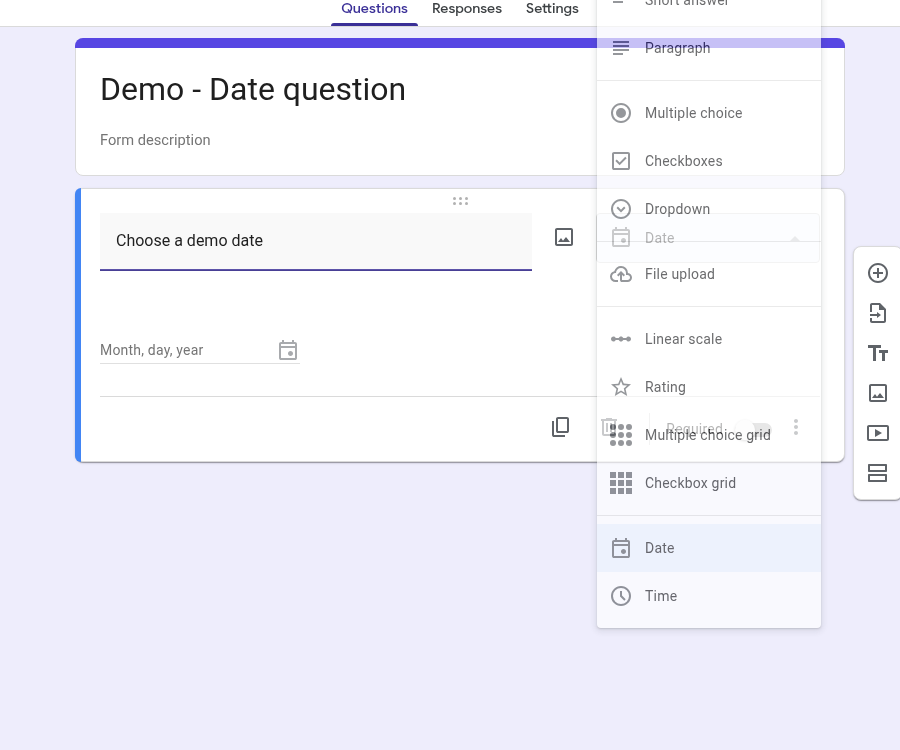
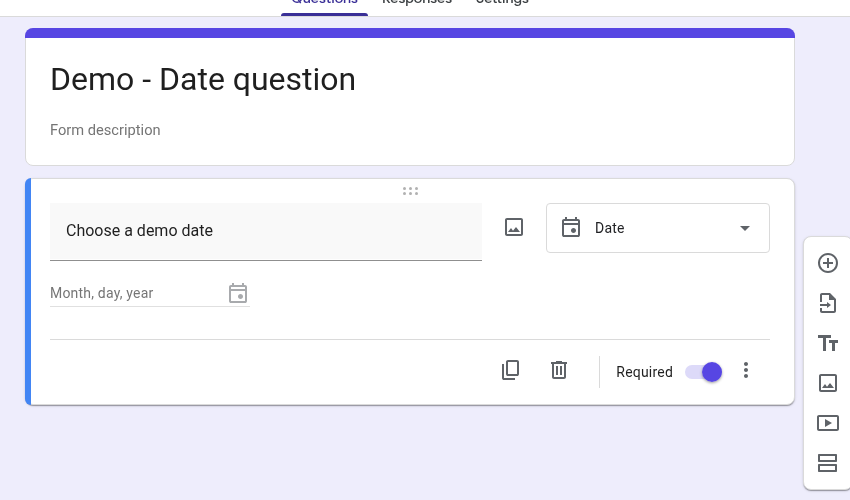
A Google Forms date question lets respondents enter a calendar date. In the question-type menu, Date and Time are separate types. To add a date field, click Add question, open the type menu to the right of the question title, and choose Date. You can turn Required on so the answer can’t be skipped (Google Docs Editors Help).
From More (⋮) on a Date question you can also Include year and Include time. Google’s Help describes adding year or time from that menu; the Forms API exposes the same ideas as includeYear and includeTime on DateQuestion (Google Docs Editors Help; Forms API — DateQuestion).
This guide covers setup, those options, what respondents see, how Date differs from a form close date, and what Google’s docs do not cover (ranges, default today, Response validation).
Quick answer
- Open your form in Google Forms and click Add question.
- To the right of the question title, choose Date.
- Optional: turn Required on at the bottom of the question card.
- Optional: open More (⋮). Under Show, use Include year and Include time (and Description if you need a help line).
- Preview the form and pick a date before you share it.
How to add a Date question
- Open the form and click Add question (the plus icon on the right).
- Type the question, for example “Choose a demo date” or “What is your preferred appointment date?”.
- Open the question-type menu and choose Date. Time appears as its own type in the same menu if you only need a clock value (Google Docs Editors Help).
- Turn Required on when every respondent must answer (Google Docs Editors Help).
For where Date sits among other formats, see our guide to types of survey questions.
Include year, Include time and Required
Google’s Help says you add year or time from More (⋮) at the bottom right of the question (Google Docs Editors Help). The Forms API documents two booleans on DateQuestion: includeYear and includeTime, and no other Date-specific fields such as min/max or “default today” (Forms API — DateQuestion).
In the English editor (checked November 9, 2026), those menu labels are exactly Include year and Include time, under a Show group with Description:
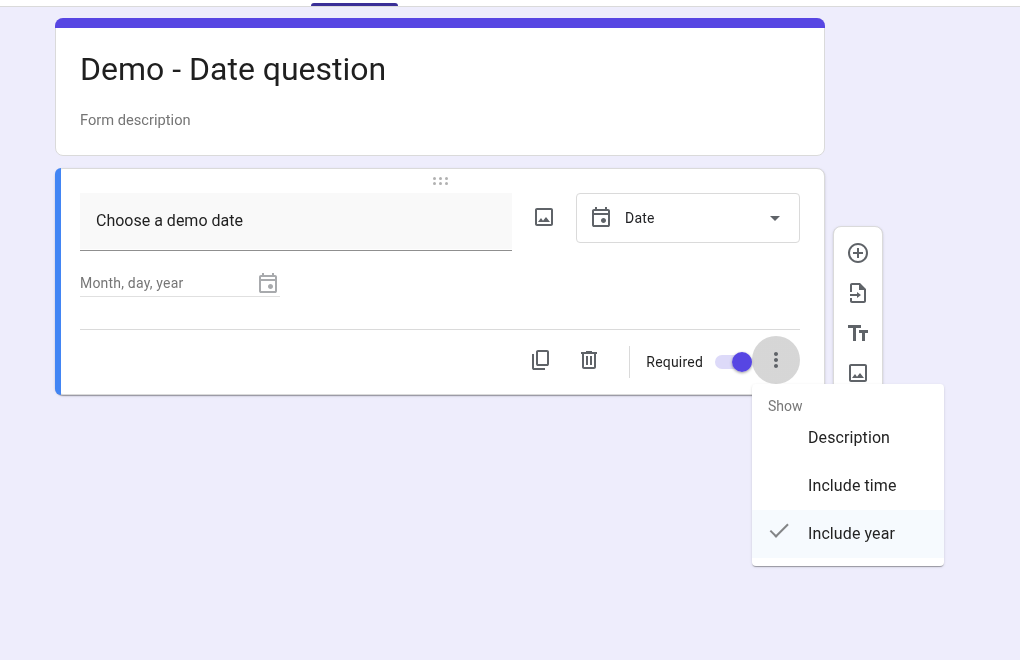
Defaults in that editor session: on a newly created Date question, Include year was checked and Include time was not. The editor placeholder read Month, day, year. That UI default is not the same statement as the API note that Date questions “default to just month + day” — treat API default and editor default as separate layers (Forms API — DateQuestion).
Turning Include time on adds a Time field under the date on the same question:
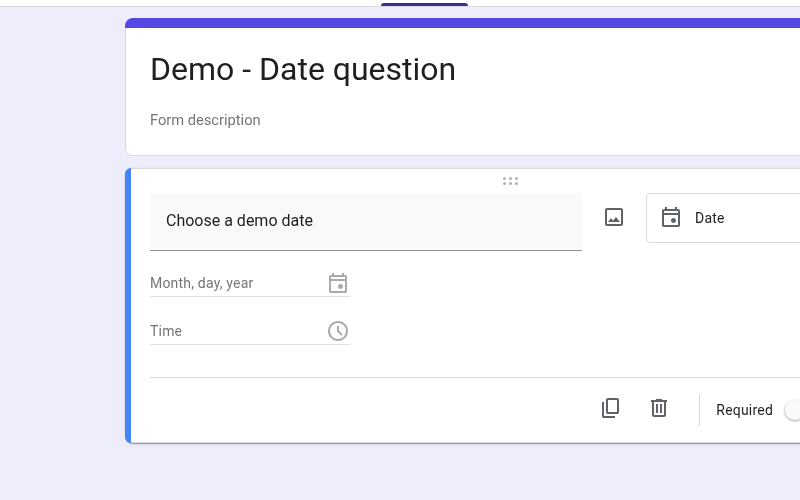
Turning Include year off changes the editor hint to Month, day. In this test capture, Include time was still on, so a Time field appears under the date:
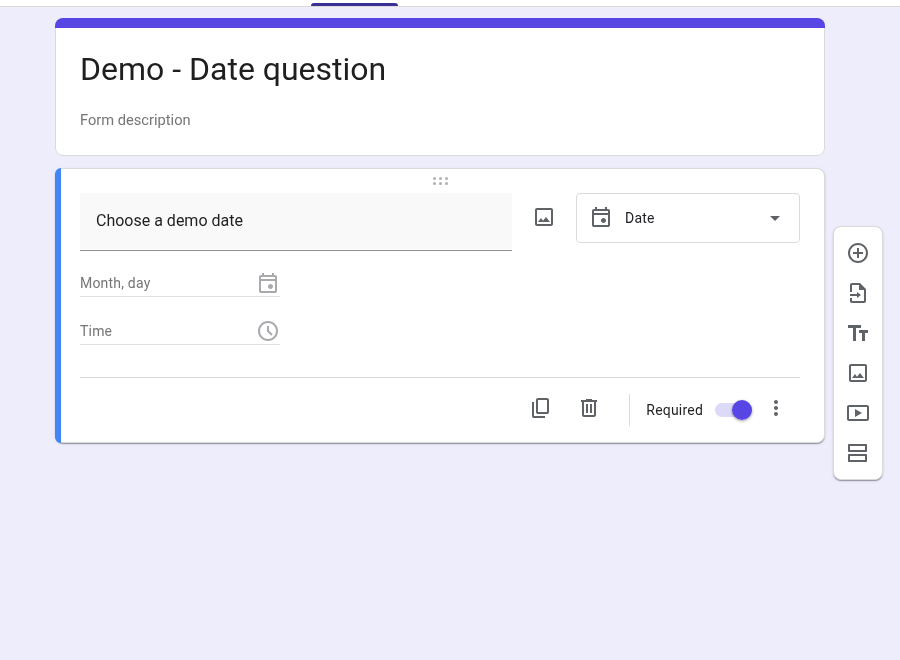
Required is the shared toggle on the question card. If someone skips a required question, Google documents the error “This is a required question.” (Google Docs Editors Help).
Date vs the separate Time question type
- Date collects a calendar day, and can also collect a time of day when Include time is on.
- Time is a different type in the menu. Help describes time-of-day (hh:mm AM/PM) and duration options for that type; the API’s
TimeQuestionhas adurationflag (Google Docs Editors Help; Forms API — TimeQuestion).
We only confirmed that Time appears in the type menu alongside Date. We did not walk through Time-of-day vs Duration settings for this article.
What respondents see
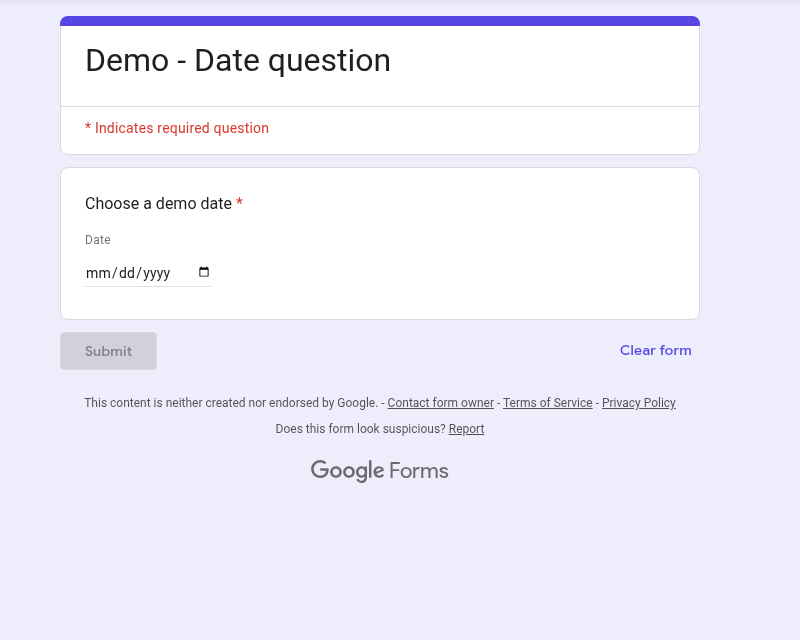
In Preview (November 9, 2026), the date field started empty, with placeholder mm/dd/yyyy — not filled with today’s date:
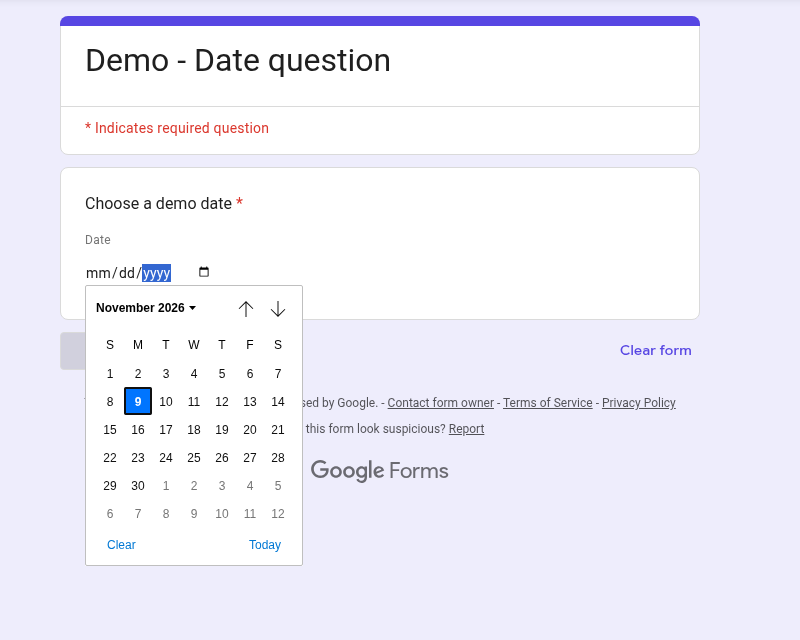
Opening the picker showed a calendar (November 2026 in that session), with the current day highlighted and a Today button. Highlighting a day in the calendar is not the same as a value already entered in the field; the field stayed on the empty placeholder until a date is chosen:
If the typed value doesn’t match the format expected for the respondent’s Google Account or browser language, they may see “Invalid date.” Formats can differ (for example MM/DD/YYYY vs DD/MM/YYYY) (Google Docs Editors Help). Help does not document a creator control that forces one format for every respondent.
Google’s Help does not document a “default to today” option on Date. A Today button in the picker is a shortcut the respondent can use; it is not autofill on load. Creators can still send a pre-filled link (More → Pre-fill form) with a fixed date already chosen — that is a static prefill, not a live “today” default (Google Docs Editors Help).
Reading answers (Responses and Sheets)
Open Responses for a Summary (once there is at least one response), Individual replies, Link to Sheets, or Download responses (.csv) (Google Docs Editors Help).
We did not capture a Responses or Sheets view for Date for this article, and we did not publish or submit the demo form. Check your own linked sheet after a real response before you rely on column layout. The Forms API documents how Date answers can be stored as text (YYYY-MM-DD, MM-DD, and variants with time) depending on year/time settings (Forms API — TextAnswer).
Three different “dates” people mix up
| What people want | What to use | Source |
|---|---|---|
| Ask respondents for a date | Date question (+ optional Include time / Include year) | 7322334, DateQuestion |
| Stop collecting answers after a deadline | Published form → Accepting responses → set a close date or response limit | 139706 |
| End someone’s access to the form later | When sharing as Responder → Add expiration | 2839588 |
A close date closes the form. It is not a min/max range on which dates a Date question will accept.
A Date question also is not documented as a submission timestamp. The date people type is their answer; when the form stopped accepting replies is a separate setting.
Limits and honest workarounds
No Response validation documented for Date. Google’s rules page describes Response validation for short answer and paragraph, plus grid options. Date and Time are not listed there (Google Docs Editors Help). In the Date More menu we opened, the items were Description, Include time and Include year — no Response validation entry. That is an observation on that menu, not a claim about every Forms surface. The API DateQuestion object likewise has no validation or range fields (Forms API — DateQuestion). For validation patterns on types that support them, see response validation in Google Forms.
No documented min/max date range on the question. Don’t confuse that gap with the form-level close date above.
No documented autofill to today. Preview started empty; use Pre-fill only when a fixed date in the link is enough (2839588).
If you need people to pick from a short fixed list of days instead of a calendar, a dropdown in Google Forms can work. For attachments, see upload file in Google Form. Matrix-style questions are covered under multiple choice grid.
FAQ
How do I put a date in Google Forms?
Add a question, set the type to Date, optionally turn Required on, and use More → Include year / Include time as needed (Google Docs Editors Help). Preview once so you see the placeholder and picker your respondents get.
Can you put a due date on a Google Form?
If you mean “stop accepting answers after a deadline,” set a close date (or a response limit) under Accepting responses on a published form (Google Docs Editors Help). That is not the same as a Date question asking which day someone prefers. You can also Add expiration when sharing Responder access (Google Docs Editors Help).
Can you timestamp Google Forms?
A Date question stores the date (and optional time) the respondent enters. Closing the form on a schedule uses a close date on Accepting responses (139706). The Help and API pages cited here do not describe Date as an automatic submit-time stamp. Check your linked sheet after a real response if you need an automatic submit-time column.
Can I limit which dates people can pick?
Google’s question-type and rules Help, and the DateQuestion API schema, do not document min/max ranges on the Date question (3378864; DateQuestion). Form close dates limit when the form accepts answers, not which calendar days are valid answers.
Does Date support Response validation?
Help does not document Response validation for Date the way it does for short answer and paragraph (3378864). Use Required, clear instructions, and Preview.
Sources: Google Docs Editors Help — Choose a type of question for your form, View & manage form responses, Publish & share your form with responders, Fix common errors while you respond to a Google Form, How to set rules for your form; Google Forms API — DateQuestion, TimeQuestion, TextAnswer. UI options verified in editor/preview November 9, 2026. No form publish or response submit for this article.