Digital Consent Form: Build Trust with a Compliant Solution
Learn practical form optimization strategies in this AgentsForForms guide: Digital Consent Form: Build Trust with a Compliant Solution.
A digital consent form is your way of asking for and recording someone's permission to use their personal information, all done online. It's the modern replacement for clunky paper forms, offering a process that's easier to manage, track, and secure. Think of it as a digital handshake—it’s a clear, documented agreement that builds trust right from the start.
Beyond Paper: A New Era of Agreement
At its core, a digital consent form is just an interactive way for someone to say "yes" to your terms. This can be as simple as checking a box to get marketing emails when you sign up for a newsletter, or as official as e-signing a detailed patient form before a doctor's visit.
The old paper way was a mess. Forms got lost, damaged, or filled out with scribbles you couldn't read. Digital versions bring some much-needed order to the chaos. But it's more than just putting a PDF online; it’s about building a smarter, more transparent system for getting and managing permission. The whole point is to make sure any consent you get is:
- Informed: People know exactly what they’re agreeing to. No confusing jargon.
- Specific: You're asking for one thing at a time, not burying permission for marketing inside your terms of service.
- Freely Given: The person has to take a clear action, like clicking a button or ticking a box, without being forced or tricked.
- Documented: You have a secure, time-stamped record of the agreement you can refer back to for compliance.
Why Digital Consent Is Now the Standard
Let's be honest, nobody misses paper forms. We all live online now and expect smooth, secure digital experiences, especially when it involves our personal data. For businesses, the move to digital isn't just a trend; it's a necessity with immediate, powerful benefits.
A well-designed digital consent process does more than just tick a legal box. It shows you respect your users' privacy, and that’s how you build lasting customer relationships. It turns a legal hurdle into a chance to earn trust.
Trying to manage consent with paper is a slow, error-prone nightmare. Forms get misplaced, handwriting is a guessing game, and keeping track of thousands of paper slips is a full-time job. All that inefficiency wastes time and money and can even hurt sign-up rates for everything from company events to marketing campaigns.
The Core Components of Consent
A good digital consent form is much more than a lazy "I Agree" button. To actually work and keep you compliant, it has to clearly explain what's going on. That means spelling out who is collecting the data, what specific pieces of information you need, and exactly what you plan to do with it.
For instance, a webinar sign-up form might ask for permission to record the session and share it with everyone who attended. A free software trial might ask if it's okay to send emails about product updates. Each request is separate, giving people the ability to make specific choices about their data. This approach goes way beyond a simple all-or-nothing agreement and gives users real control, which is the best way to build trust from day one.
Navigating the Legal Maze of Digital Consent
Stepping into the world of digital consent forms can feel like you're trying to read a map in a foreign language. With a soup of acronyms like GDPR, HIPAA, and CCPA floating around, it's easy to get overwhelmed. But these regulations aren't just legal hurdles to jump over; they're a blueprint for building trust and proving your data practices are both ethical and secure.
Think of these laws as the ground rules for your digital handshake. They ensure that when you ask for someone’s data, the agreement is fair, transparent, and respectful of their rights. When you break them down, they all share a common theme: putting the user firmly in control of their own information.
A solid consent form is the final, visible layer of a relationship built on transparency and trust.
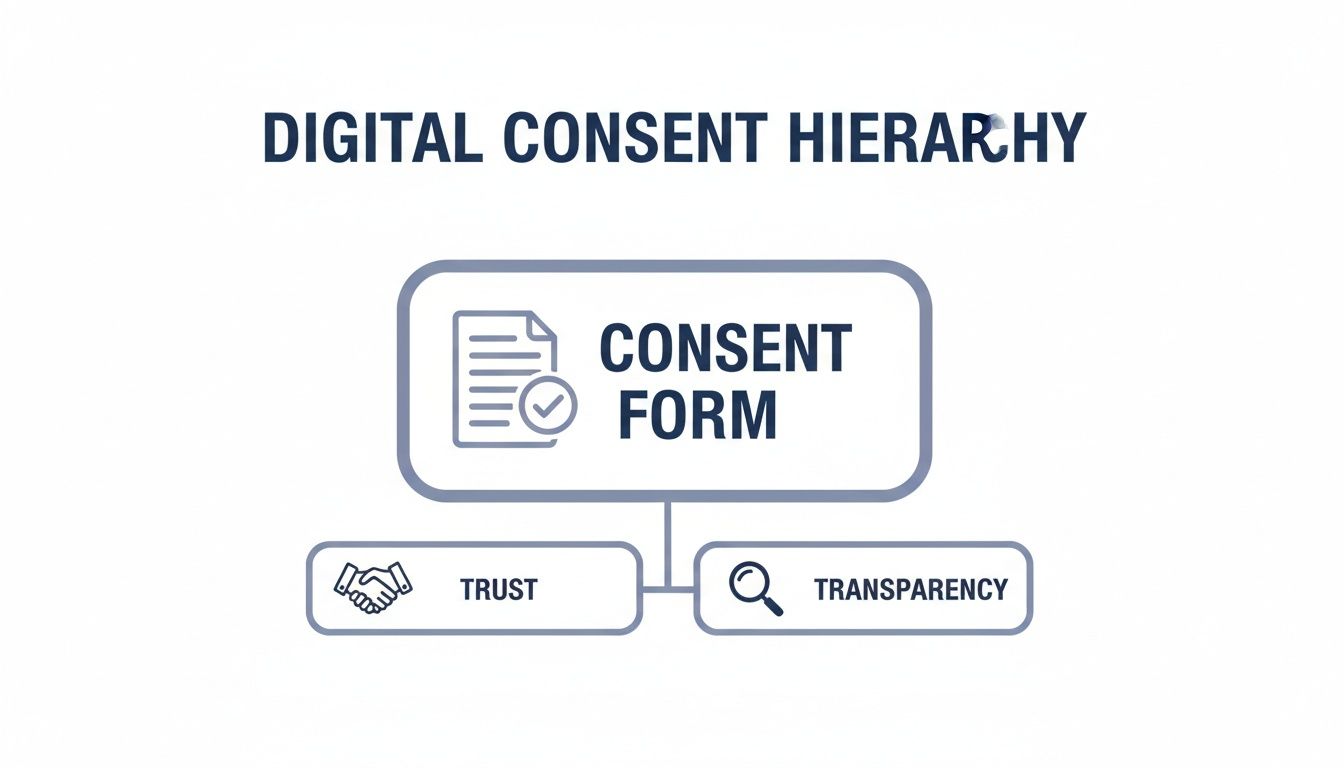
As you can see, a successful form isn't just about checking a legal box. It's the mechanism that supports the entire structure of user trust and operational transparency.
A Quick Tour of Global Regulations
While a deep dive into international law is beyond our scope here, getting the spirit of the major regulations is crucial. It helps clarify what your forms really need to accomplish. Each law has a slightly different focus, but they all circle back to protecting personal information.
Navigating the web of global data privacy laws can be tricky, as each has its own unique requirements. The table below offers a high-level overview of the key regulations you're most likely to encounter.
Key Global Consent Regulations at a Glance
| Regulation | Geographical Scope | Key Consent Requirement | Primary Impact On |
|---|---|---|---|
| GDPR (General Data Protection Regulation) | European Union (EU) & European Economic Area (EEA) | Explicit, affirmative opt-in. Pre-ticked boxes are banned. Consent must be specific and informed. | Any organization processing the personal data of EU/EEA residents, regardless of where the organization is located. |
| HIPAA (Health Insurance Portability and Accountability Act) | United States | Requires clear authorization for the use and disclosure of Protected Health Information (PHI). Must be highly secure. | Healthcare providers, health plans, and their business associates handling sensitive patient health data. |
| CCPA (California Consumer Privacy Act) / CPRA (California Privacy Rights Act) | California, USA | Focuses on the "right to know" and the "right to opt-out" of the sale or sharing of personal information. | Businesses that collect personal information from California residents and meet certain revenue or data processing thresholds. |
It's important to remember that these regulations have a long reach. If you have users or customers in these regions, their rules apply to you—no matter where your business is physically located.
From Legal Theory to Practical Application
So, what does all this mean for the digital consent form you're building right now?
It means we have to move past the old, lazy, one-size-fits-all "I Agree" button. The new standard is a more granular, user-focused approach. Your form must clearly state what data you're collecting, why you need it, and how you'll use it, all in plain English.
For example, if you're asking for an email to send marketing newsletters, that request needs its own separate, unchecked checkbox. You can't bundle it into your general terms of service and hope for the best.
The golden rule of consent is simple: No surprises. A user should never be caught off guard by how their data is being used. The moment they are, you’ve broken their trust—and quite possibly, the law.
Core Principles for Any Compliant Form
Regardless of which specific regulations you're up against, a few universal principles will always steer you toward a compliant and trustworthy consent form. Nailing these fundamentals ensures you’re respecting user rights and building a solid foundation for your data practices.
Building compliant forms is a cornerstone of how we operate. You can learn more about how we approach data protection in our comprehensive privacy policy.
Here are the key pillars to always build on:
- Unambiguous Opt-In: Consent has to be an active, deliberate choice. Use clear language and require a direct user action, like clicking a completely empty checkbox. No tricks.
- Granular Choices: Let users consent to different things separately. For instance, allow them to opt into marketing emails without forcing them to agree to third-party data sharing.
- Easy Withdrawal: Consent isn't a one-time, permanent decision. Users must be able to take it back just as easily as they gave it. Provide a simple, clear process for them to change their minds at any time.
Designing Consent Forms for Clarity and Trust
How you ask for consent is just as important as what you’re asking for. A confusing form loaded with jargon can make people feel tricked or overwhelmed, and they’ll often just leave. The best digital consent forms don't feel like a legal hurdle; they feel like a straightforward conversation that builds trust right from the start.
This all comes down to focusing on clarity, simplicity, and the user's experience. When a form is easy to understand and navigate, people feel respected and in control. That positive feeling translates directly into higher completion rates and a much stronger relationship with your audience.

Speak Your User's Language
Nothing erodes trust faster than dense, legalistic language. Ditch the complex terms and acronyms whenever you can. Instead, use plain, simple language that gets straight to the point.
- Bad Example: "By executing this agreement, you irrevocably consent to the utilization of your personally identifiable information for marketing communications."
- Good Example: "Can we send you occasional emails about new products and special offers? You can unsubscribe at any time."
The second example is clear, friendly, and treats the user like a human. This isn't just about being helpful—it's about being transparent. When people actually understand what they're agreeing to, they're far more likely to give their consent freely and confidently.
Design for Intuitive Action
The visual design of your form plays a huge role in how people interact with it. A well-structured layout guides them through the process, making it feel effortless. A cluttered design, on the other hand, just creates friction and doubt.
Here are a few key design principles to live by:
- Use Ample White Space: Give your form elements room to breathe. This stops the page from looking intimidating and helps users focus on one thing at a time.
- Logical Flow: Arrange questions in a natural order. Don’t jump straight to asking for sensitive information; build up to it after you’ve set the context.
- Clear Visual Cues: Use things like bold text, larger fonts for headings, and distinct buttons to guide the user’s eye and highlight important actions.
Great design isn’t just about making things look pretty; it’s about making the consent process as smooth as possible. You can dive deeper into creating user-friendly layouts in our complete guide to mastering form design best practices for higher conversions.
Make Choices Clear and Active
Consent has to be an active, deliberate choice. This means your design should never, ever assume consent on the user's behalf. Pre-ticked checkboxes are a major no-go under regulations like GDPR and are a sure sign of a poor user experience.
The core principle here is empowerment. Every single element, from the words you use to the layout itself, should be designed to give the user clear, unambiguous control over their own data.
Instead, use clean, interactive elements that require a specific action from the user:
- Unticked Checkboxes: The default state should always be "no." Users must actively click to opt in.
- Toggles or Switches: These are visually intuitive and make it easy for users to turn permissions on or off.
- Distinct "Accept" and "Decline" Buttons: Give people a clear, penalty-free way to say no.
This approach turns a static document into an interactive experience. In fact, studies on electronic consent in clinical settings found that users highly preferred interactive notices. When tested, video and app-based consent formats led to significantly better comprehension than traditional paper forms, which aligns with other research showing a 73% improvement in understanding with digital health tools. By making consent an engaging and clear process, you not only meet legal standards but also build a foundation of trust that keeps people coming back.
The Building Blocks of a Compliant Form
Putting together a digital consent form that works well and holds up legally takes more than slapping a text box on a page. Think of it like a recipe: if you leave out a key ingredient, the whole thing falls flat. A truly compliant form is built on a simple foundation of being clear, honest, and putting the user in control.
This practical checklist will walk you through the essential pieces every digital consent form absolutely needs. Each one is designed not just to tick a legal box, but to start your relationship with users on the right foot—with trust.

Clearly Identify Yourself
First things first: who are you? Your form must clearly and prominently state your organization's name. It sounds basic, but it's the bedrock of transparency that users expect and regulations like GDPR demand.
People need to know exactly who is asking for their data. Hiding your identity or using vague branding is an immediate red flag and a major compliance fail.
Example Copy:
"To receive our monthly newsletter, please provide your email address below. This list is managed by [Your Company Name]."
State the Exact Purpose
Why do you need their information? And be specific. Generic phrases like "to improve your experience" just don't cut it anymore. You have to explain the exact reason you're asking for each piece of data.
If you're collecting an email for marketing, say that. If a phone number is for two-factor authentication, explain it. This level of clarity gives people the power to make a real, informed decision.
Being upfront about your intentions is what a digital consent form is all about. It cuts through the confusion and ensures the user knows exactly what they’re agreeing to.
Specify the Data Being Collected
Don’t leave people guessing. Your form should spell out exactly what types of data you’re collecting. This might be a name and email, or it could be more sensitive information, depending on what you do.
- For a simple newsletter signup: "We will collect your name and email address."
- For a webinar registration: "We need your name, email, and company to register you for the event and send you a recording afterward."
This isn't optional. It shows your data collection is deliberate and limited to only what's necessary for the purpose you already stated.
The golden rule here is data minimization. Only ask for what you absolutely need. Grabbing extra data "just in case" is a fast way to break trust and increase your legal risk.
Inform Users of Their Rights
Consent isn't a one-and-done deal; it's a privilege the user grants you, and they can take it back. A critical part of any compliant form is telling users they have the right to withdraw their consent at any time.
You also have to explain how they can do it. This information should be easy to find, and the process needs to be just as simple as it was to sign up in the first place.
Example Copy:
"You can unsubscribe from our marketing emails at any time by clicking the 'unsubscribe' link in the footer of every email or by contacting our support team."
This keeps the user in the driver’s seat. By giving clear instructions for opting out, you show respect for their choices, which is crucial for building a lasting, trust-based relationship. It turns a legal must-do into a powerful signal that you’re on their side.
Securely Managing Consent Data
Getting a "yes" on a digital consent form is really just the beginning. The real test of trust comes down to what you do next—how you capture, store, and manage that consent data for its entire lifecycle. A flimsy system for handling consent records is like building a house on a shaky foundation. It might look fine at first, but it’s bound to cause serious problems down the road.
Think of each consent record as a digital receipt that proves you have permission to use someone's data. This isn't just a technical detail; it's a critical part of being transparent and accountable to your users. Building a solid system to manage these records ensures that if a question ever comes up, you have a clear, undeniable audit trail ready to go.

Capturing an Immutable Audit Trail
When a user gives consent, your system needs to do more than just flip a switch from "no" to "yes" in a database. To be compliant and trustworthy, you have to capture a detailed snapshot of that exact moment. This creates an unchangeable record that serves as your proof of consent.
This process has become so effective that it's being adopted quickly in high-stakes fields. For instance, one key survey found e-consent adoption hit 68% among leading US oncology organizations. The reason is simple: digital methods dramatically improve data quality, boosting completeness and accuracy compared to paper forms—a huge advantage for any intake process where errors can erode trust. You can dive deeper into these findings and the impact on data quality in this detailed clinical trial research.
A comprehensive consent record should always include these four pieces of information:
- Who: The identity of the person giving consent (like a user ID or email address).
- When: A precise timestamp marking the exact date and time of the agreement.
- What: The specific version of the consent text or form the user actually saw and agreed to.
- How: The method used to give consent (e.g., "checkbox click on signup form").
Secure Storage and Data Integrity
Once you've captured these consent records, they must be stored securely to protect them from anyone who shouldn't see them or try to alter them. Just dumping this information into a simple spreadsheet won't cut it. You need a system that guarantees the integrity of the data over time, proving that the records haven't been tampered with since they were created.
This is where encryption and access controls become non-negotiable.
A secure consent management system is your organization’s memory. It remembers every permission granted and withdrawn, providing a single source of truth that protects both your users and your business from compliance risks.
Encrypting the data both in transit (as it moves across networks) and at rest (while it sits in your database) is the industry standard. On top of that, you should implement strict, role-based access controls so only authorized personnel can view or manage these sensitive records. This goes a long way in minimizing the risk of internal misuse or accidental data breaches.
Handling Consent Withdrawal Gracefully
Consent isn't a permanent contract. It's a dynamic agreement that users can change whenever they want. Regulations like GDPR are crystal clear on this point: withdrawing consent must be just as easy as giving it. A clunky, confusing, or hidden unsubscribe process isn't just a major compliance violation; it's a surefire way to destroy user trust.
Your system must be designed to handle these requests efficiently and respectfully. When a user withdraws their consent, your process should kick off a series of automated actions:
- Update the Record: Immediately change the user's consent status in your central database.
- Propagate the Change: Push this status update to all connected systems, like your CRM or email marketing platform, to stop any further data processing.
- Confirm the Action: Send an automated confirmation to the user, letting them know their request has been successfully completed.
This isn't just a technical workflow. It's a powerful way to show you respect user autonomy, turning a potential point of friction into a final, positive interaction that reinforces your brand’s commitment to privacy. A smooth off-boarding process leaves the door open for users to come back in the future.
How Modern Form Builders Make Consent Simple
Let's be honest: building a digital consent form that’s both compliant and user-friendly from the ground up is a huge headache. You’re trying to balance tricky legal rules, good design, and secure data storage—a job that usually demands a lot of time and technical know-how.
The good news is you don’t have to do it all yourself. Modern form builders are designed to handle the heavy lifting. They give you powerful tools that make the entire process, from creation to management, surprisingly straightforward.
Instead of coding everything by hand or fighting with a clunky document editor, you can start with pre-built templates. These are often optimized for common scenarios like patient intake, event sign-ups, or marketing permissions, giving you a solid, compliant starting point right out of the box.
Let AI Write Your Compliant Copy
One of the biggest struggles is getting the words right. Your consent language needs to be clear, simple, and legally sound. This is where AI-powered form builders like AgentsForForms really shine. You can give it a simple prompt, and it will generate the necessary copy for you in seconds. No more staring at a blank page.
This AI assistance ensures your questions are easy to understand, which cuts down on user confusion and makes them more likely to complete the form.
Here’s a peek at what a modern form builder’s interface looks like. Notice how the clean design and clear steps guide you through the process.
That visual simplicity is deliberate. It keeps the user focused on giving you the right information without feeling overwhelmed by a wall of text.
These tools also give you the power to customize. You can set up dynamic, multi-step forms that adapt to a user's answers, only showing questions that are actually relevant. To see how that works, take a look at our guide on creating a form builder with conditional logic—it’s a game-changer for completion rates.
Compliance and Analytics, Built Right In
Modern form builders don’t just help you create forms; they help you manage them responsibly. Many come with features designed specifically for compliance. Think built-in, GDPR-friendly consent options that ensure your checkboxes and opt-ins meet strict legal standards without any extra work on your part.
This focus on user control isn't just a legal requirement anymore; it's what people expect.
A detailed review revealed just how much users value this control. 75% of participants preferred consent options that let them be specific about what they agreed to, and 73% supported platforms that allowed them to update their preferences later on. You can read more about these user-centric consent trends at jmir.org.
Beyond just getting the form live, these platforms give you a window into how it’s performing. With real-time analytics, you can see exactly where people are dropping off. This helps you spot confusing questions or friction points in your consent flow, so you can make data-backed changes to improve clarity and get more people to finish.
For busy marketing, product, and support teams, using a modern form builder is a no-brainer. It saves a ton of time, reduces compliance headaches, and gives you the tools you need to build trust with your users. By taking care of the technical and legal details, these platforms let you focus on what really matters: creating a great user experience.
Got Questions About Digital Consent? We’ve Got Answers.
Even when you have a solid plan, a few tricky questions always seem to surface. Let's tackle some of the most common ones I hear from people setting up their digital consent forms.
Can I Just Use a Pre-Ticked Checkbox?
Let me be blunt: absolutely not. Major privacy laws like the GDPR are crystal clear on this—consent has to be a deliberate, freely given choice.
When you pre-tick a box, you're assuming agreement, not earning it. That's not a valid or legal way to get permission. The user has to take an explicit action, like clicking an empty checkbox themselves, to show they're making a conscious decision.
How Long Do I Need to Keep Consent Records?
Think of it this way: you need proof of consent for as long as you're using the person's data, plus a little extra. That "extra" time is your buffer, giving you a paper trail in case any legal questions or audits come up after you've stopped processing their information.
The exact time frame really depends on your industry and local laws. My best advice? Talk to a lawyer to nail down a data retention policy that makes sense for your specific business. It's an investment that pays off in peace of mind.
What’s the Real Difference Between Opt-In and Opt-Out?
These two terms get thrown around a lot, but they represent two completely different philosophies about consent. Getting this right is fundamental to building a form that people trust.
- Opt-In: This is where you ask the user to take a clear, positive action to say "yes"—like ticking an empty box. It’s the standard required by privacy-focused regulations like GDPR.
- Opt-Out: This model assumes you have permission by default, and the user has to take action to say "no"—like unchecking a box that was already ticked for them.
When you're dealing with personal data, especially if you have users in Europe or other areas with strong privacy laws, opt-in is the only way to go. It puts the user in the driver's seat and starts your relationship on a foundation of trust and transparency.
Ready to build compliant, high-converting forms without the headache? AgentsForForms uses AI to turn your ideas into secure, multi-step forms in seconds. Start building for free at agentsforforms.com.