7 Best Employee Onboarding Checklist Template Tools for 2026
Learn practical form optimization strategies in this AgentsForForms guide: 7 Best Employee Onboarding Checklist Template Tools for 2026.
A successful employee onboarding process is the foundation of long-term retention and productivity, yet it's often a chaotic mix of forgotten paperwork, missed introductions, and inconsistent training. An unstructured welcome can leave new hires feeling overwhelmed and disconnected, undermining their initial excitement and confidence. The solution is a standardized, repeatable system, and the cornerstone of that system is a comprehensive employee onboarding checklist template.
This guide eliminates the guesswork by providing a curated roundup of the best platforms and websites offering robust, ready-to-use templates. We'll move beyond generic lists and dive into dynamic tools from sources like AgentsForForms, Smartsheet, and ClickUp that help you manage every stage of the journey, from preboarding paperwork to the 90-day review. Each entry in our listicle includes direct links and screenshots, allowing you to quickly assess which platform best fits your team’s workflow, whether you're in HR, a product manager at a SaaS startup, or a growth lead focused on team efficiency.
We will explore templates designed for various needs, including role-specific checklists, remote employee onboarding, and manager-specific guides. To truly streamline your welcome and ensure every new hire has a smooth start, consider consulting a comprehensive guide on an Onboarding Checklist for New Employees. Our goal is to equip you with actionable resources to build a structured, engaging, and effective onboarding experience that sets every team member up for success from day one.
1. AgentsForForms
AgentsForForms stands out as a powerful, AI-driven solution for creating sophisticated and effective employee onboarding checklist templates. It is not just a static template provider but a dynamic, no-code form builder that transforms a simple text prompt into a fully functional, multi-step checklist in seconds. This unique capability allows HR and People Operations teams to move from concept to a live, interactive onboarding experience with unprecedented speed and efficiency.
. Includes unlimited forms/submissions, admin roles, custom branding, advanced security/SSO, and priority support. | Growing companies and enterprises needing to scale, customize, and secure their onboarding workflows across the organization. |
Pros:
- AI automation drastically cuts down form creation time.
- Built-in features are optimized to improve checklist completion rates.
- Extensive integration library connects directly to your existing HR and IT stack.
- Strong team collaboration and enterprise-grade security features.
- Generous free plan allows teams to start without financial risk.
Cons:
- AI-generated content may still require minor human review for brand voice or specific legal nuances.
- Advanced features like unlimited submissions, custom domains, and SSO are only available on paid tiers.
Find your template at: https://agentsforforms.com
2. Smartsheet
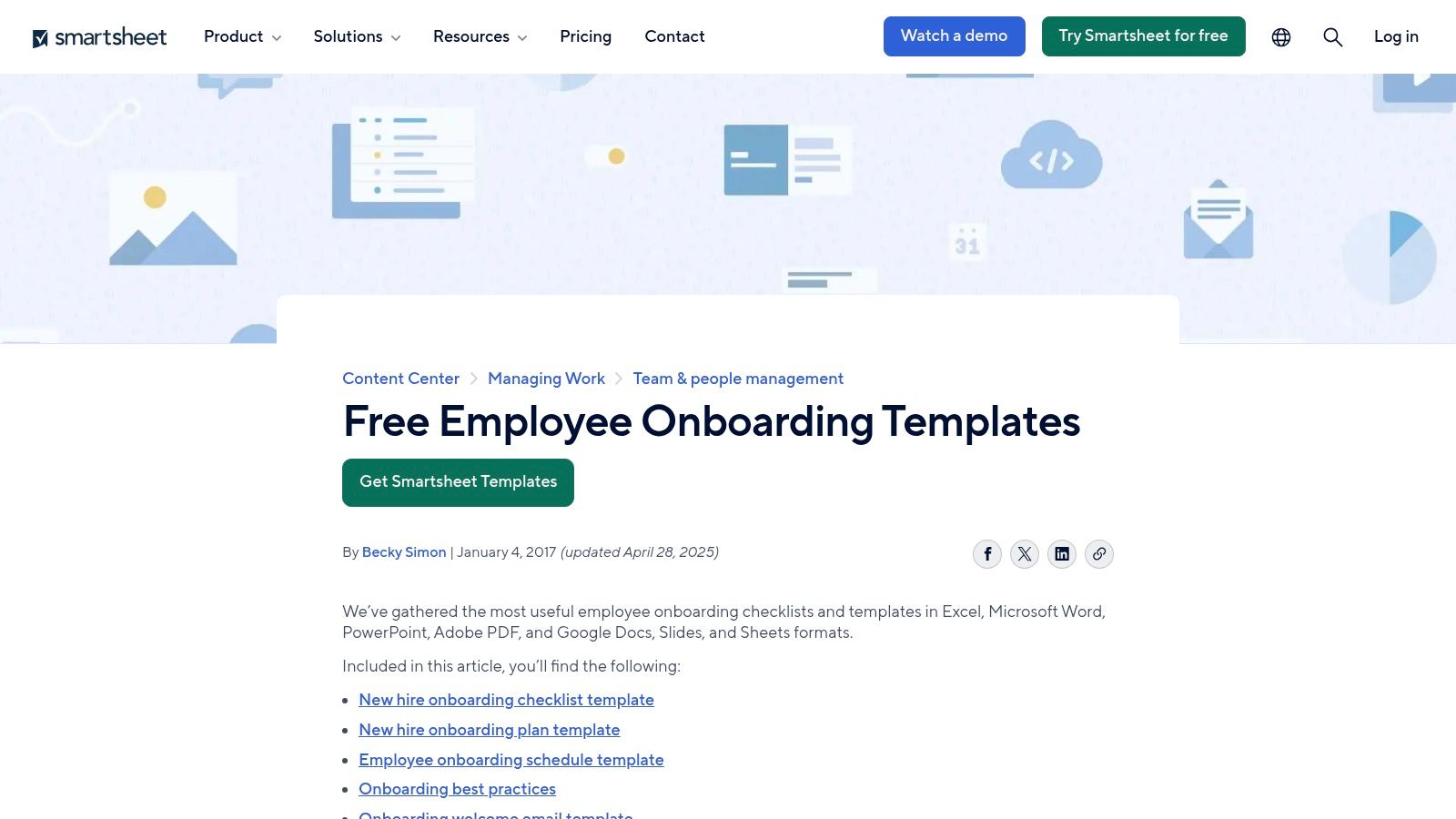
Smartsheet stands out by offering a dual approach to onboarding resources: a comprehensive gallery of free, downloadable files and a powerful, collaborative platform for running onboarding as a live project. This makes it an ideal choice for teams that want both quick-start templates for immediate use and a scalable solution for more structured, trackable onboarding processes.
The platform provides a rich selection of templates tailored to various onboarding needs. You can find everything from general HR checklists and new hire orientation plans to specialized resources like a manager’s onboarding checklist, remote/hybrid employee setups, and detailed 30-60-90-day plans. This variety ensures you can find a solid starting point regardless of your specific requirements.
Key Features and Offerings
Smartsheet’s primary advantage is its flexibility. You can download any employee onboarding checklist template in a format that suits your existing toolset, including Excel, Google Sheets, Google Docs, Word, PDF, and even PowerPoint for presentation purposes.
For teams seeking more than a static document, the native Smartsheet template set transforms onboarding into a dynamic workspace. Key features include:
- Live Progress Tracking: Monitor task completion in real-time.
- Owner Assignment: Assign specific tasks to individuals (e.g., IT, HR, hiring manager).
- Timelines and Dependencies: Visualize the entire onboarding journey using Gantt charts to ensure sequential tasks are completed on schedule.
- Centralized Communication: Keep all discussions and attachments related to a task in one place.
Practical Use and Access
The downloadable templates are free, though some may require you to provide an email address for access. These files are incredibly user-friendly and can be customized easily within your preferred software (Microsoft Office or Google Workspace).
To leverage the collaborative features, a Smartsheet subscription is necessary. However, the platform offers a free trial, allowing you to test its capabilities before committing. Using the live template is straightforward: import the template, invite team members, assign tasks, and start tracking. This centralized approach prevents tasks from falling through the cracks, a common issue with static checklists shared via email.
| Feature | File-Based Templates | Smartsheet Platform |
|---|---|---|
| Cost | Free (some require email) | Paid subscription required |
| Collaboration | Manual (via email/shared drives) | Real-time, multi-user |
| Tracking | Manual updates required | Automated status updates |
| Customization | High (in native app like Excel) | High (with platform features) |
Website: Smartsheet Free Onboarding Checklists and Templates
3. ClickUp Templates
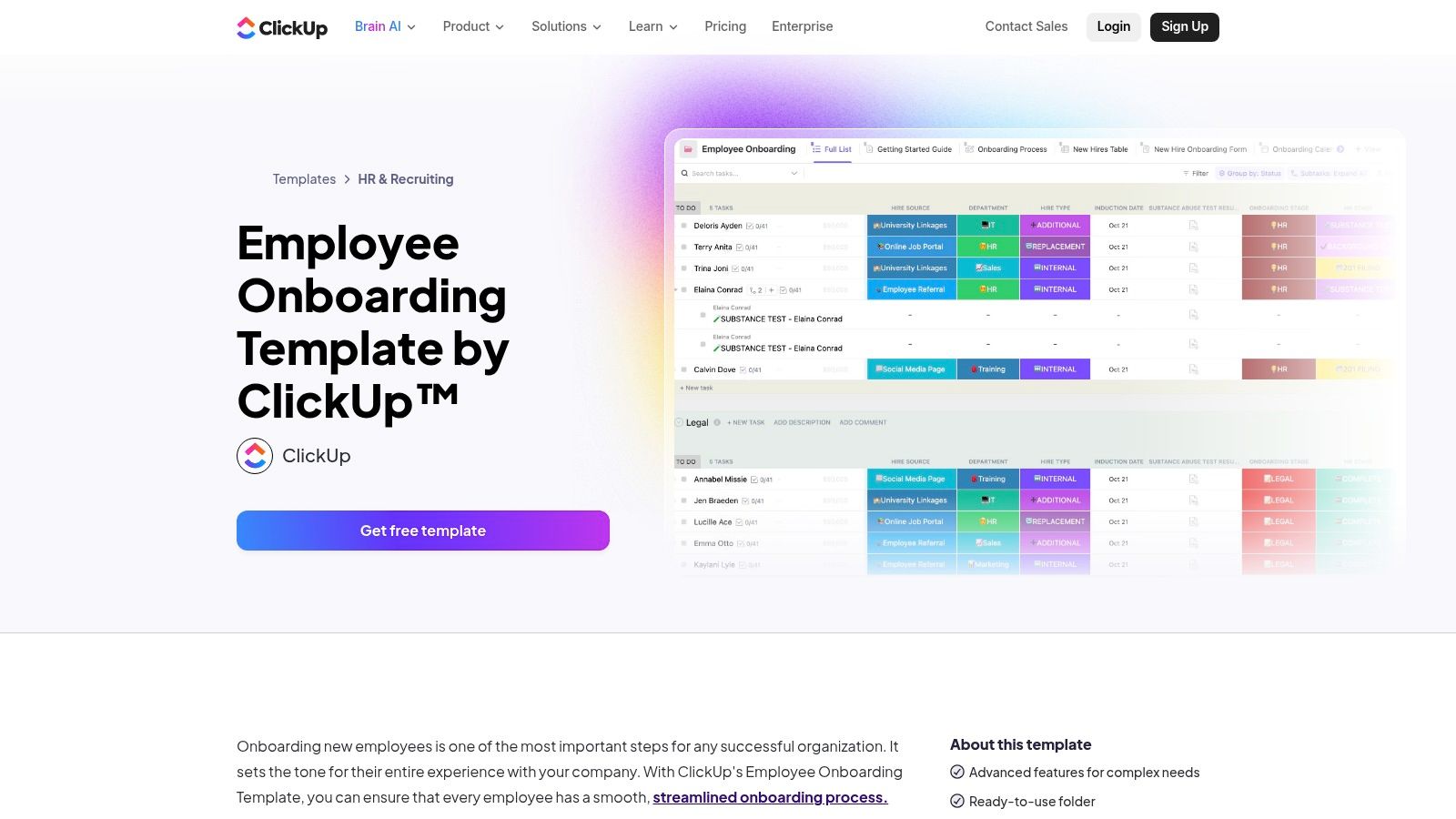
ClickUp positions itself as an all-in-one productivity platform, and its approach to onboarding templates reflects this ethos. Instead of offering downloadable files, ClickUp provides fully integrated templates that deploy directly into its workspace. This is ideal for teams who already use or plan to adopt ClickUp, as it transforms a static checklist into a living, automated workflow within a single, unified environment.
The platform offers several variations, including a comprehensive Employee Onboarding Template, a simpler Onboarding Checklist, and templates for creating Standard Operating Procedures (SOPs) and new hire surveys. These templates are designed to be immediately functional, complete with pre-built tasks, custom fields, and workflow statuses, allowing you to manage the entire new hire journey from pre-boarding to their 90-day review in one place.
Key Features and Offerings
ClickUp’s core strength is its native integration. The employee onboarding checklist template isn't just a list; it’s a dynamic project with powerful features built-in. This allows for a much more sophisticated and automated approach compared to traditional spreadsheets or documents.
Key features available within the ClickUp onboarding templates include:
- Multiple Views: Instantly switch between List, Board (Kanban), Calendar, and Gantt chart views to visualize the onboarding timeline from different perspectives.
- Custom Fields and Statuses: Track crucial information like a new hire's start date, department, or buddy assignment using custom fields, and monitor progress with statuses like "To Do," "In Progress," and "Complete."
- Automation: Set up rules to automatically assign tasks, send reminder notifications when due dates approach, or move tasks to the next stage upon completion.
- Integrated Docs and Surveys: Create and store all related documentation, such as company policies or training materials, directly within the onboarding project using ClickUp Docs and Forms.
Practical Use and Access
ClickUp’s templates are free to install and use within any ClickUp account, including the free tier. Accessing them is simple: navigate to the Template Center inside the platform, search for "onboarding," and add your chosen template to your workspace with a single click.
While the basic functionality is available on the free plan, leveraging ClickUp’s full potential for onboarding, such as advanced automations, custom permissions, and detailed reporting dashboards, requires a paid subscription. The primary trade-off is that this solution requires adopting the ClickUp ecosystem. For teams already invested, it offers a seamless and powerful way to standardize and scale their onboarding process without ever leaving the platform.
| Feature | Basic ClickUp Plan (Free) | Paid ClickUp Plan |
|---|---|---|
| Cost | Free to use templates | Paid subscription required for advanced features |
| Collaboration | Real-time task assignments and comments | Advanced permissions and team sharing |
| Tracking | Manual progress updates and basic views | Dashboards and advanced reporting |
| Automation | Limited (100 automations/month) | Significantly more automation runs |
Website: ClickUp Employee Onboarding Template
4. monday.com Templates
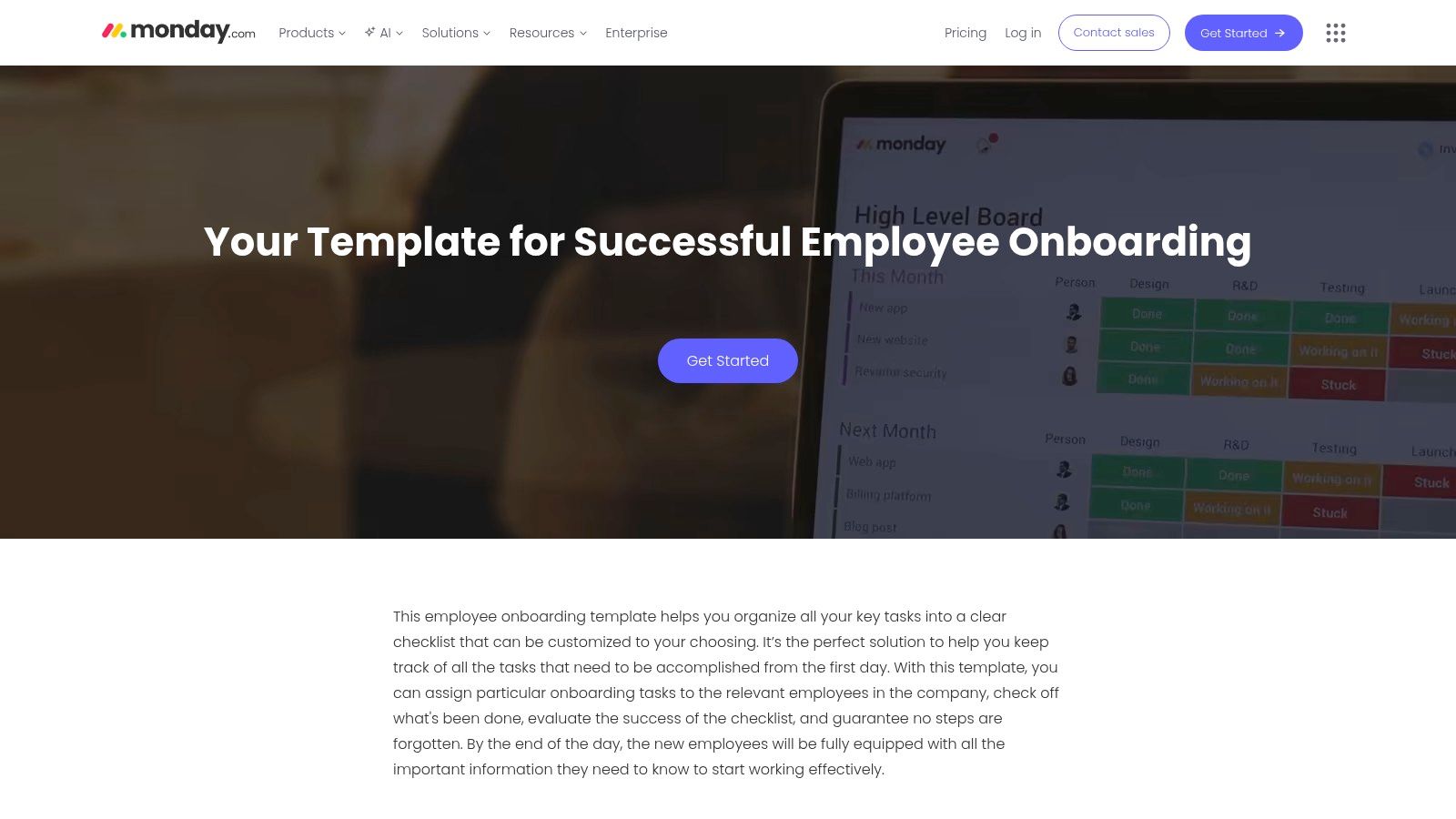
monday.com offers a dynamic and visually intuitive approach to onboarding, transforming the standard checklist into a collaborative work board. Instead of a static document, monday.com provides a pre-built Employee Onboarding template within its Work OS platform. This is an excellent choice for teams that want to centralize tasks, automate workflows, and visually track every new hire's journey in one place.
The core of their offering is a highly customizable board that comes pre-populated with common onboarding stages and tasks. This employee onboarding checklist template allows you to assign owners (HR, IT, manager), set due dates, and monitor progress with status labels like "Working on it," "Done," or "Stuck." Its user-friendly interface makes it accessible even for non-technical team members, ensuring widespread adoption across departments.
Key Features and Offerings
The true strength of monday.com lies in its ability to create a single source of truth for the entire onboarding process. By inviting all stakeholders to the board, you eliminate fragmented communication and ensure everyone knows their responsibilities. The platform is designed for active project management rather than passive record-keeping.
Key platform-native features for onboarding include:
- Visual Workflows: Use Kanban boards, timelines, and Gantt charts to see the new hire's progress at a glance.
- Automation: Set up rules to automate repetitive tasks, such as sending a notification to IT when an HR task is marked "Done."
- Centralized Task Management: Assign checklist items to specific team members from HR, IT, and the hiring manager's department on a single board.
- Integrations: Connect your onboarding board with other tools like Slack, Gmail, and Google Drive to streamline communication and file sharing.
Practical Use and Access
Getting started is as simple as signing up for a monday.com account and adding the "Employee Onboarding" template from their template center. While a free plan exists with limited features, a paid subscription is necessary to unlock automations, integrations, and advanced views like timelines, which are crucial for a robust onboarding process.
The platform is designed for scalability; you can easily duplicate the board for each new hire and customize it for different roles or departments. The visual nature of the board makes it easy for managers and new hires to understand what's been completed and what's next, creating a transparent and engaging experience from day one.
| Feature | Details |
|---|---|
| Cost | Paid plans required for full functionality (seat minimums apply) |
| Collaboration | Real-time, multi-user, and cross-departmental |
| Tracking | Automated with visual status updates and reporting dashboards |
| Customization | High (add columns, change statuses, build automations) |
Website: monday.com Employee Onboarding Template
5. Atlassian Confluence (HR templates)
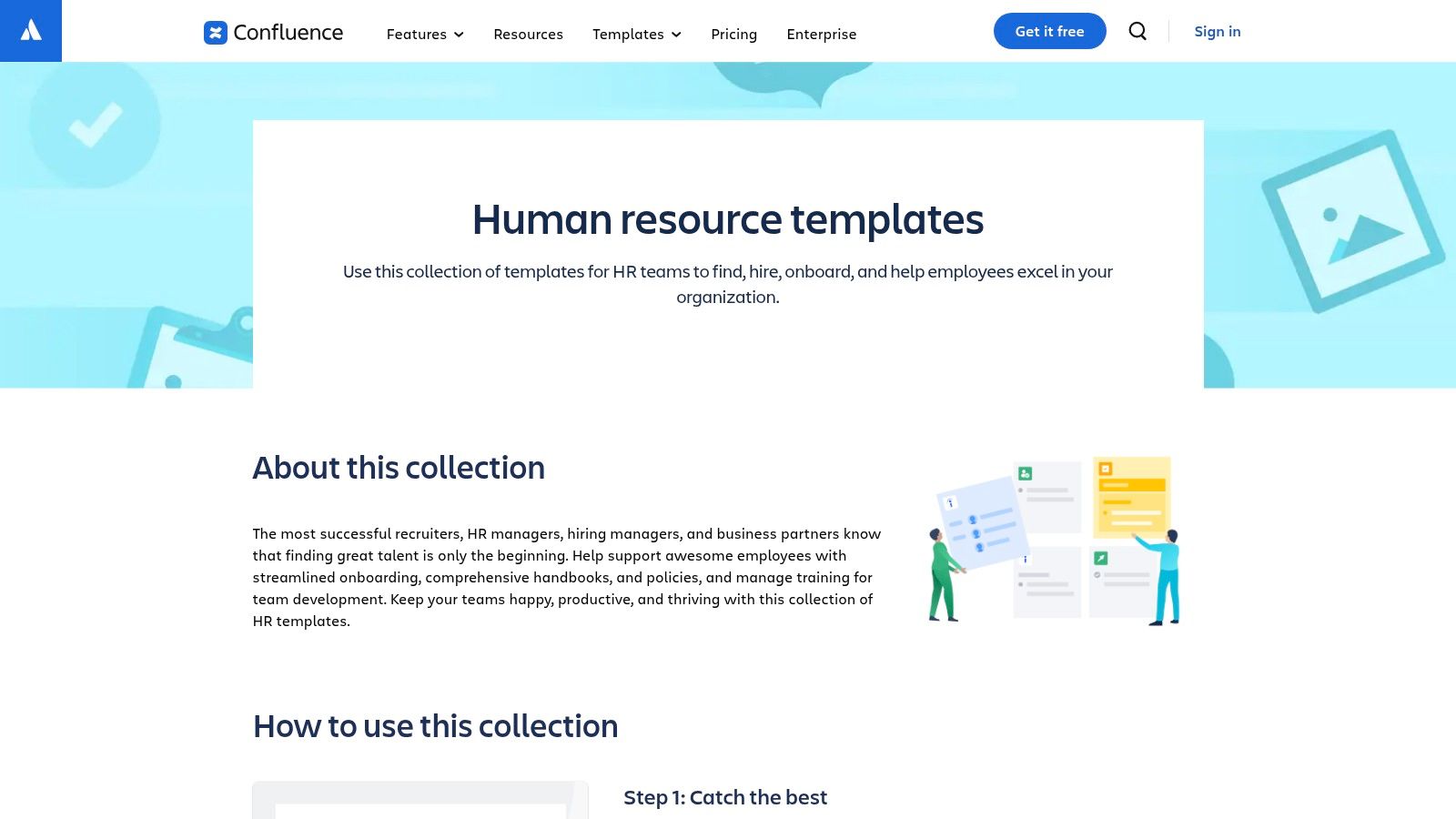
Atlassian Confluence positions itself not just as a template provider but as a central knowledge hub for the entire onboarding experience. It is ideal for organizations that want to integrate their onboarding checklists directly into their company's "source of truth," combining task management with comprehensive access to company policies, team information, and project documentation. This approach transforms a static checklist into a living, collaborative workspace.
The platform's HR template collection provides a solid foundation, featuring ready-to-use pages for new hire onboarding, 30-60-90-day plans, and general HR checklists. These templates are designed to be adapted and expanded upon within the Confluence environment, creating a rich, interactive resource for new employees that goes far beyond a simple to-do list.
Key Features and Offerings
Confluence’s strength lies in its ability to create a unified onboarding and knowledge management system. Instead of sending new hires multiple documents, you can direct them to a single, well-organized Confluence space.
Key features for onboarding include:
- Centralized Knowledge Base: Embed your employee onboarding checklist template directly alongside the company handbook, IT policies, and team directories.
- Real-Time Collaboration: Multiple team members (HR, managers, IT) can edit and comment on onboarding pages simultaneously, ensuring information is always current.
- Powerful Integrations: Connect Confluence pages with Jira tickets for IT equipment setup or Trello boards for a more visual task-tracking experience.
- Granular Permissions: Control who can view or edit specific pages, ensuring sensitive information is protected while general resources remain accessible.
Practical Use and Access
Atlassian offers a free cloud plan for up to 10 users, making it accessible for small teams to test and implement. For larger organizations, paid plans offer advanced features and greater user capacity. The HR templates are available directly within the platform; you simply create a new page and select the appropriate template to get started.
The primary benefit is that new hires learn to navigate the company's central documentation tool from day one. Instead of relying on email attachments, they are encouraged to find answers and track their progress independently within Confluence. While these templates are general, they are highly customizable. When creating forms for feedback within these pages, understanding best practices for form design is crucial for gathering useful insights from new hires.
| Feature | Description | Best For |
|---|---|---|
| Cost | Free plan (up to 10 users), paid plans available | Small teams to large enterprises |
| Collaboration | Real-time, multi-user editing and comments | Teams already using or willing to adopt Atlassian tools |
| Format | Live, dynamic web pages (Confluence pages) | Creating a central "source of truth" |
| Customization | High (within Confluence's page editor) | Organizations needing tailored onboarding workflows |
Website: Atlassian Confluence HR Templates
6. Microsoft 365 SharePoint — New Employee Onboarding template
For organizations deeply integrated into the Microsoft ecosystem, the SharePoint New Employee Onboarding site template is a powerful, native solution. Rather than offering a simple downloadable file, Microsoft provides a comprehensive, pre-built internal website dedicated to onboarding. This site acts as a central hub where new hires can find documents, meet the team, and track their progress, making it ideal for companies that want a secure, all-in-one onboarding experience without relying on third-party tools.
The template’s core is a fully customizable SharePoint site that includes dedicated pages for getting started, training resources, and company culture. It leverages Microsoft Lists to power its onboarding checklist, transforming a static document into a dynamic, assignable task list. This approach ensures that the entire onboarding process lives within the familiar and secure environment of Microsoft 365.
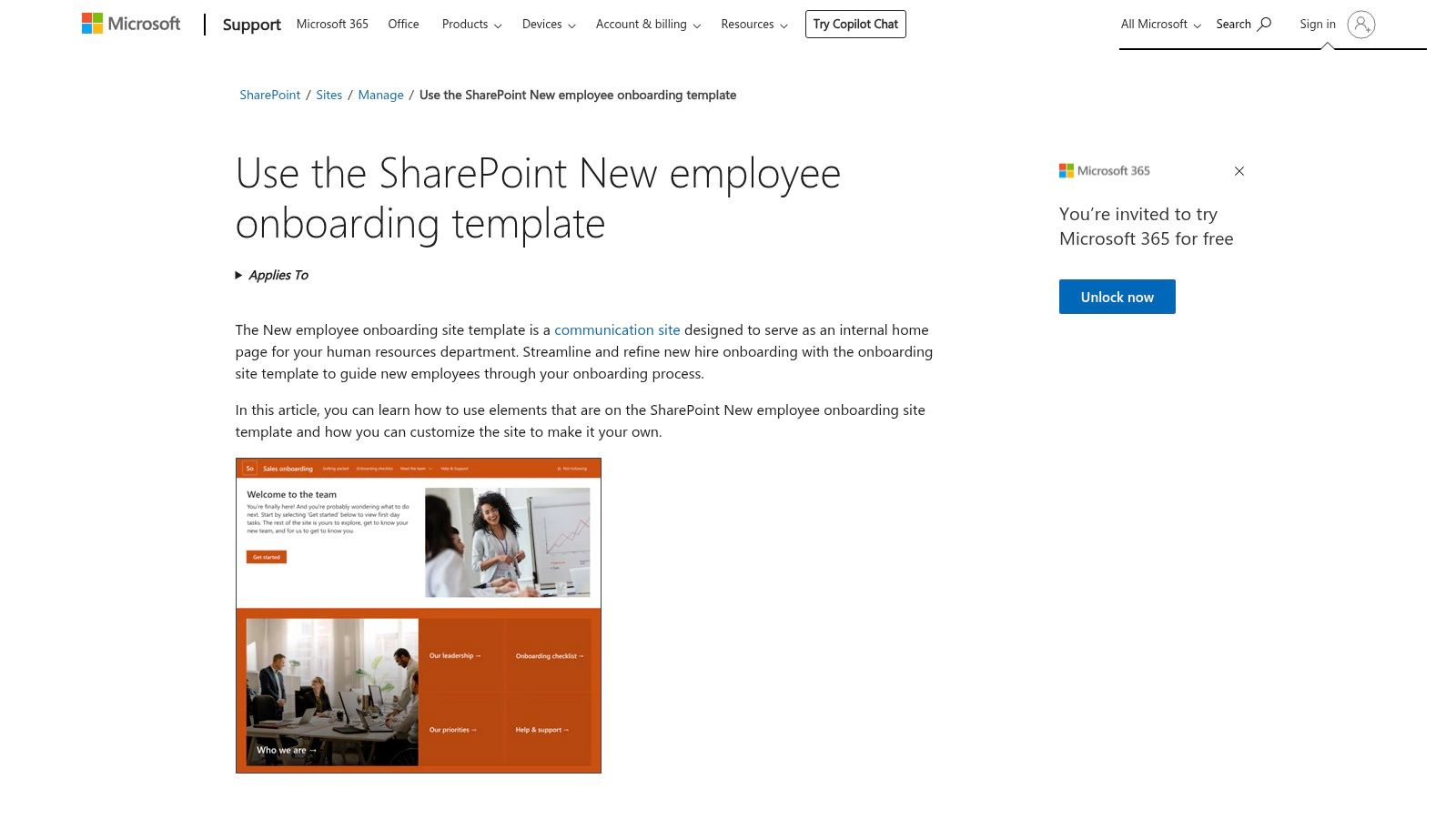
Key Features and Offerings
The main advantage of the SharePoint template is its seamless integration with other Microsoft 365 apps. The pre-built employee onboarding checklist template uses Microsoft Lists, allowing for clear ownership, due dates, and status tracking directly within SharePoint or Microsoft Teams.
Key features of this integrated onboarding hub include:
- Centralized Resource Pages: Pre-configured pages for a welcome message, team contacts, training materials, and company policies.
- Dynamic Checklists: Uses Microsoft Lists to create and manage new-hire tasks with owner assignments and deadlines.
- Microsoft Teams Integration: Embed the onboarding site or specific checklists as tabs within relevant Teams channels for easy access.
- Scalable and Secure: Leverages existing Microsoft 365 permissions, ensuring that sensitive information remains secure and accessible only to the right people.
Practical Use and Access
This template is included with most Microsoft 365 business subscriptions, meaning there is no additional cost for organizations already using the platform. To use it, a SharePoint administrator or site owner can apply the template to a new or existing SharePoint site.
Once deployed, the site and its checklist are fully customizable. HR and hiring managers can modify page content, add department-specific tasks to the list, and set up automations using Power Automate. For new hires, the experience is streamlined through a single, easy-to-navigate portal. By centralizing all preboarding and onboarding activities, it significantly improves on the manual processes of emailing checklists and documents back and forth. Just as streamlined client intake forms are crucial for customer success, this template is vital for employee success.
| Feature | Description | Best For |
|---|---|---|
| Cost | Included with Microsoft 365 subscription | Companies already invested in the Microsoft ecosystem |
| Collaboration | Native, real-time via SharePoint and Teams | Teams needing a secure, internal collaboration hub |
| Integration | Seamless with Lists, Teams, Power Automate | Organizations wanting to consolidate their tool stack |
| Customization | High (site pages, lists, web parts) | Users comfortable with SharePoint customization |
Website: Use the SharePoint new employee onboarding template
7. Notion Template Marketplace (and trusted creators)
Notion has become a central hub for startups and agile teams, and its template ecosystem reflects this. The Notion Template Marketplace, along with independent creators, offers a vast array of employee onboarding solutions that are instantly integrated into an existing Notion workspace. This makes it an incredibly fast and flexible option for companies that already use Notion for documentation and project management, allowing them to embed onboarding directly into their daily workflows.
The templates available range from simple checklists to comprehensive onboarding hubs. You can find dedicated templates for pre-boarding tasks, detailed first-week schedules, 30-60-90-day plans, company directories, and centralized FAQ databases. This modular approach allows you to build a custom onboarding experience by combining different elements into a single, cohesive dashboard for new hires.
Key Features and Offerings
Notion’s core strength is its connected, database-driven structure. An employee onboarding checklist template in Notion is not just a static list; it's a dynamic system that can be linked to other parts of your company's knowledge base.
- Instant Duplication: Find a template you like and duplicate it into your own workspace with a single click.
- Deep Customization: Modify every aspect, including database properties (like status, owner, due date), page layouts, and linked databases (e.g., connecting a task to a team member in your company directory).
- All-in-One Hub: Combine checklists, documents, schedules, and embedded content (like Loom videos or Google Docs) into one centralized page for the new hire.
- Varied Views: Switch between list, board (Kanban), calendar, and timeline views to visualize the onboarding process in different ways.
Practical Use and Access
Accessing templates is simple. You can browse Notion’s official marketplace or search creator platforms like Gumroad for more specialized options. Many high-quality templates are free, while premium, more comprehensive ones are typically available for a low one-time fee (often around 50).
Implementation is immediate for teams already on Notion. Once duplicated, you can start customizing fields, assigning tasks, and sharing the page with your new employee. However, its flexibility can be a drawback for organizations requiring rigid compliance or strict approval workflows, as Notion lacks the built-in, granular permission controls of dedicated HR software. It’s also important to vet templates from third-party creators, as quality can vary.
| Feature | Notion Official Templates | Third-Party Creator Templates |
|---|---|---|
| Cost | Mostly free | Mix of free and paid (one-time fee) |
| Implementation | Instant duplication | Instant duplication |
| Support | Notion community and help docs | Varies by creator |
| Customization | High (within Notion's capabilities) | High (within Notion's capabilities) |
Website: Notion Employee Onboarding Templates
7-Tool Employee Onboarding Checklist Comparison
| Solution | Implementation complexity 🔄 | Resource requirements ⚡ | Expected outcomes 📊 | Ideal use cases 💡 | Key advantages ⭐ |
|---|---|---|---|---|---|
| AgentsForForms | Low — no-code generator creates multi-step forms in seconds; human review recommended | Minimal to start: browser + free account; paid tiers for enterprise features (SSO, unlimited submissions) | High — improved completion/conversion, built-in validations, real-time analytics | Fast form creation for lead gen, NPS, onboarding, support intake; teams needing integrations | ⭐ AI-written copy & validations, conversion-first templates, 100+ integrations, enterprise security |
| Smartsheet | Low–Medium — download templates instantly; live tracking needs Smartsheet setup | Office/Google apps for downloads; Smartsheet subscription for collaborative workspace | Medium — practical checklists; strong when used as live tracked project | Teams wanting downloadable templates or project-tracked onboarding with owners/timelines | ⭐ Broad downloadable formats, live template sets, progress tracking |
| ClickUp Templates | Low — add templates into ClickUp easily but requires platform adoption | ClickUp account required; advanced automations on paid plans | Medium — task-driven onboarding with automations and reporting | Teams using ClickUp that want workflow assignment, due dates, dashboards | ⭐ Free installable templates, scales to full workflows and automations |
| monday.com Templates | Low–Medium — straightforward board setup; fuller value with platform commitment | monday.com account; paid plans for advanced automations and dashboards | Medium — visual boards centralize tasks and timelines | Teams preferring visual boards to coordinate HR, IT, and manager tasks | ⭐ Strong UI, visual automations, integrations with common apps |
| Atlassian Confluence (HR) | Medium — requires adoption for best results; templates need tailoring | Confluence account; integrates with Jira/Trello; free for small teams | Medium — centralized documentation + onboarding pages, collaborative editing | Organizations that want knowledge base + onboarding content and Jira integration | ⭐ Source-of-truth pages, granular permissions, real-time editing |
| Microsoft 365 SharePoint | Medium — setup of site & lists requires SharePoint knowledge and permissions | Microsoft 365 subscription and SharePoint permissions | High for M365 users — secure internal hub, integrated checklists and Teams tabs | Companies already on Microsoft 365 seeking secure, integrated onboarding sites | ⭐ Seamless M365/Teams integration, included with subscription |
| Notion Template Marketplace | Low — duplicate templates into workspace quickly; quality varies | Notion account; many free or low-cost paid templates | Medium — flexible, fast implementation for documentation-heavy workflows | Startups and SMBs using Notion for pre-boarding, schedules, 30/60/90 plans | ⭐ Fast to implement, wide selection, low cost and highly customizable |
From Checklist to Culture: Making Your Onboarding Process a Competitive Advantage
Navigating the landscape of employee onboarding can feel like assembling a complex puzzle. Yet, as we've explored, the right employee onboarding checklist template isn't just a piece of the puzzle; it's the framework that holds everything together. Moving beyond a simple to-do list transforms onboarding from a procedural formality into a strategic, culture-building engine that drives engagement, accelerates productivity, and significantly improves retention from day one.
Throughout this guide, we've unpacked a variety of templates and powerful tools designed to structure and streamline this critical journey. We've seen how dedicated templates for preboarding, the first week, and the pivotal 30-60-90 day milestones create a cohesive, supportive experience. The key takeaway is that a one-size-fits-all approach is no longer sufficient. Modern onboarding demands customization, personalization, and a deep understanding of the unique needs of each role, whether in-office or remote.
The tools we've reviewed, from the collaborative power of Smartsheet and monday.com to the knowledge-centric platforms like Confluence and Notion, each offer a distinct path toward this goal. The ultimate objective is to create a repeatable, scalable, and consistently excellent experience for every new hire. This consistency is what builds trust and makes new team members feel truly integrated, not just processed.
Actionable Next Steps: Choosing and Implementing Your Solution
To translate these insights into action, your focus should now shift from understanding to implementation. Your next steps are crucial for capitalizing on the momentum you've built.
- Audit Your Current Process: Before adopting any new tool or template, take an honest look at your existing onboarding. Where are the friction points? Where do new hires get confused or disengaged? Use this audit to identify the most critical problems you need to solve.
Select the Right Tool for Your Stack: Your choice of tool should complement your existing technology ecosystem.
- For deep integration with Google Workspace and a focus on automation: If your team lives in Google Sheets and Forms, a solution like AgentsForForms is a natural fit, turning static forms into dynamic, automated workflows.
- For robust project management: If your company already uses Smartsheet, ClickUp, or monday.com for project tracking, leveraging their onboarding templates keeps everything within a familiar environment.
- For knowledge-based organizations: If your culture is built around documentation and internal wikis, Confluence or Notion provide a powerful, centralized hub for all onboarding materials.
- Customize, Don't Just Copy: Use the templates provided in this article as a starting point, not a final destination. The most effective employee onboarding checklist template is one that is infused with your company’s unique culture, values, and specific role requirements. Solicit feedback from recent hires to continuously refine and improve your checklists.
- Embrace Automation: The real power of these tools is unlocked through automation. Automating reminders, task assignments, and feedback collection frees up your HR and management teams to focus on the human element of onboarding: building relationships, providing meaningful mentorship, and fostering a sense of belonging.
Ultimately, a world-class onboarding program is a living, breathing part of your organization. It evolves with your company, adapts to new challenges, and consistently reinforces the message that you are invested in your employees' long-term success. By thoughtfully selecting and implementing the right templates and tools, you are not just checking boxes; you are building the foundation for a more engaged, productive, and loyal workforce.
Ready to transform your Google Forms and Sheets into a fully automated onboarding machine? AgentsForForms empowers you to create dynamic, intelligent workflows that assign tasks, send personalized notifications, and track progress without manual intervention. Get started for free and see how easy it is to build a seamless onboarding experience with the tools you already use at AgentsForForms.